

Replicate motion and look
Wan-R2V accepts multimodal input (text, image, video, and audio) to generate performance videos. Use prompts to cast people or objects as the main characters.
Quick links: API reference | Prompt guide
Before you start, get an API key and set it as an environment variable. To use an SDK, install the DashScope SDK.
Input prompt: "Video 1 walks in from the deep left side of the frame. Then the shot cuts to a close-up of Image 1. Video 1 is leaning against the rusty wall on the right side from Image 2. Hearing the footsteps, she slowly turns her head. After seeing Image 1, Video 1 says, 'Why did you still come?' Image 1 replies, 'Let's talk.'"
Output: Multi-shot video with audio.
See Video generation models for a complete list of available models.
Supported models:
Supported models:
Output: Multi-shot video with audio.
Supported models:
Output: Video generated with the aspect ratio of the first frame.
Pass reference images, videos, and audio to the
Billing formula:
The reference method depends on the model and feature used:
This is not recommended. Use
Getting started
Before you start, get an API key and set it as an environment variable. To use an SDK, install the DashScope SDK.
Input prompt: "Video 1 walks in from the deep left side of the frame. Then the shot cuts to a close-up of Image 1. Video 1 is leaning against the rusty wall on the right side from Image 2. Hearing the footsteps, she slowly turns her head. After seeing Image 1, Video 1 says, 'Why did you still come?' Image 1 replies, 'Let's talk.'"
| Input | Type | Role |
|---|---|---|
| wan-r2v-girl-en.mp4 + reference voice | Video | Video 1 (character) |
| wan-r2v-boy-en.jpg + reference voice | Image | Image 1 (character) |
| wan-r2v-bg-en.jpg | Image | Image 2 (background) |
- Python
- Java
- curl
Ensure that the DashScope Python SDK version is at least 1.25.16.
Supported models
See Video generation models for a complete list of available models.
Core capabilities (wan2.7)
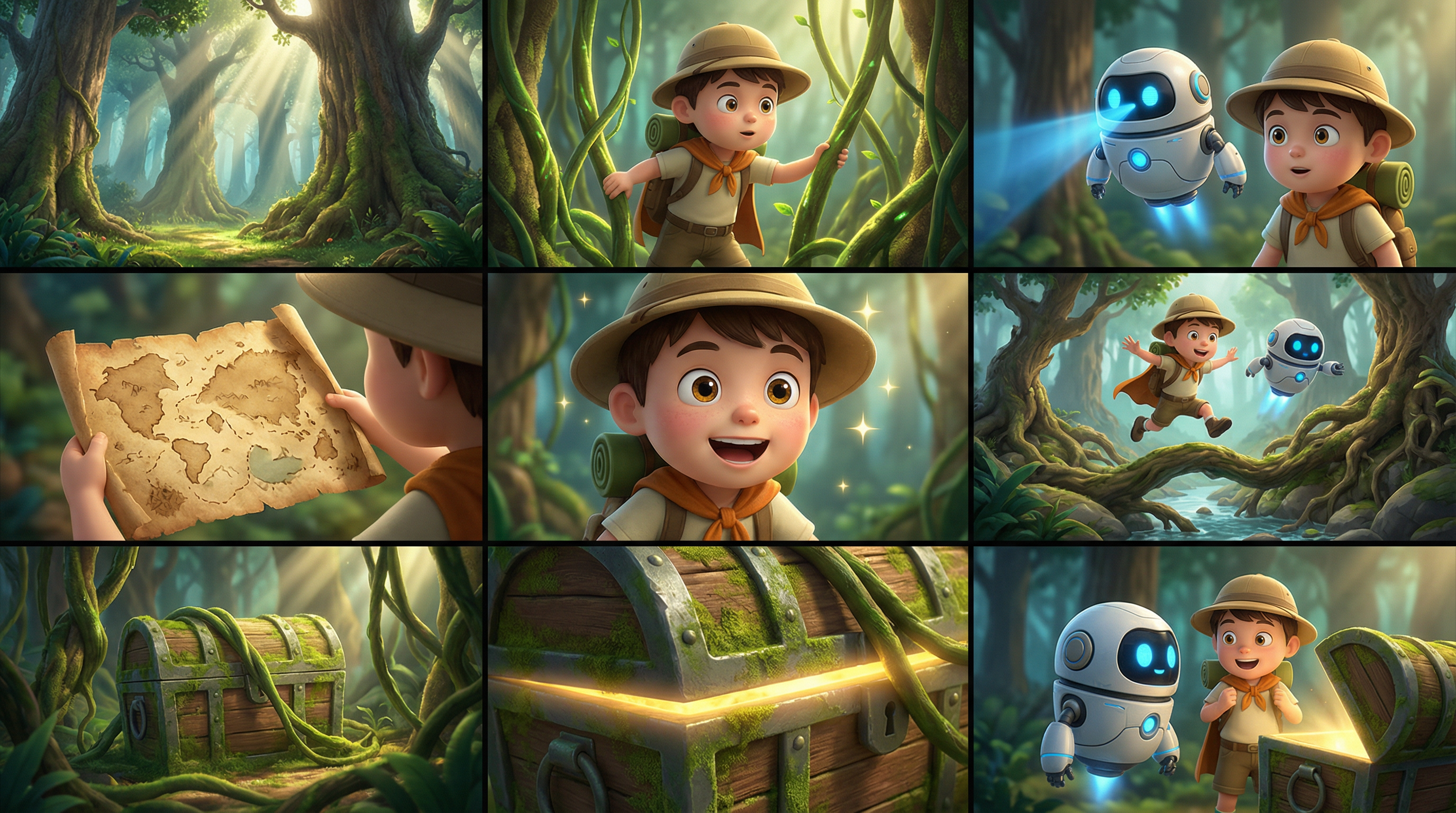
Single-image reference (multi-panel image)
Supported models: wan2.7 series.
Description: You can input a multi-panel image (storyboard). The model automatically detects the multi-panel layout and generates a video with consistent characters, scenes, and shots. You can input only one multi-panel image at a time.
Parameters:
media.type: Set toreference_image.media.url: The URL or base64-encoded string of the multi-panel image.prompt: If you provide only one reference image or video, use "reference image" or "reference video".
| Input multi-panel image | Output video |
|---|---|
 | Generated video |
- Python
- Java
- curl
Ensure that the DashScope Python SDK version is at least 1.25.16.
Multi-entity reference and voice customization
Supported models: wan2.7 series.
Description: You can input multiple reference images and videos as entity materials. You can also specify a unique voice for each entity to enable multi-character interaction and voice differentiation.
Parameters:
-
media: An array of reference materials.-
media.type: Supportsreference_imageandreference_video. The total number of reference images and videos cannot exceed 5. -
media.url: The URL of the material. Images also support base64-encoded strings. -
media.reference_voice(optional): The audio URL to specify the voice for the entity. Use this withreference_imageorreference_video. Audio logic: If areference_videocontains audio andreference_voiceis not specified, the original video audio is used by default. If both are provided,reference_voiceoverwrites the original video audio.
-
-
prompt: Refer to the reference materials in the prompt according to the following rules:- Use identifiers such as Image 1, Image 2 for
reference_imageassets and Video 1, Video 2 forreference_videoassets. - The reference order of the materials is defined by the
mediaarray. Images and videos are counted separately.
- Use identifiers such as Image 1, Image 2 for
| Input | Type | Role |
|---|---|---|
| wan-r2v-girl-en.mp4 + reference voice | Video | Video 1 (character) |
| wan-r2v-boy-en.jpg + reference voice | Image | Image 1 (character) |
| wan-r2v-bg-en.jpg | Image | Image 2 (background) |
- Python
- Java
- curl
Ensure that the DashScope Python SDK version is at least 1.25.16.
Multi-entity reference and first-frame control
Supported models: wan2.7 series.
Description: This feature adds first-frame control to the entity reference feature, which gives you more control over the composition and content flow of the video.
Parameters:
-
media: An array of reference materials.-
media.type: Supportsfirst_frame,reference_image, andreference_video. You can provide a maximum of one first-frame image. You must provide at least one reference image or video. The total number of reference images and videos cannot exceed 5. -
media.url: The URL of the material. Images also support base64-encoded strings.
-
-
prompt: Refer to the reference materials in the prompt according to the following rules:- Use "Image 1, Image 2" to refer to
reference_imageassets and "Video 1, Video 2" to refer toreference_videoassets. - The reference order of the materials is defined by the
mediaarray. Images and videos are counted separately. - You do not need to reference the first frame in the prompt.
- Use "Image 1, Image 2" to refer to
| Input | Type | Role |
|---|---|---|
 | First frame | Reference first frame |
 | Image | Image 1 (entity) |
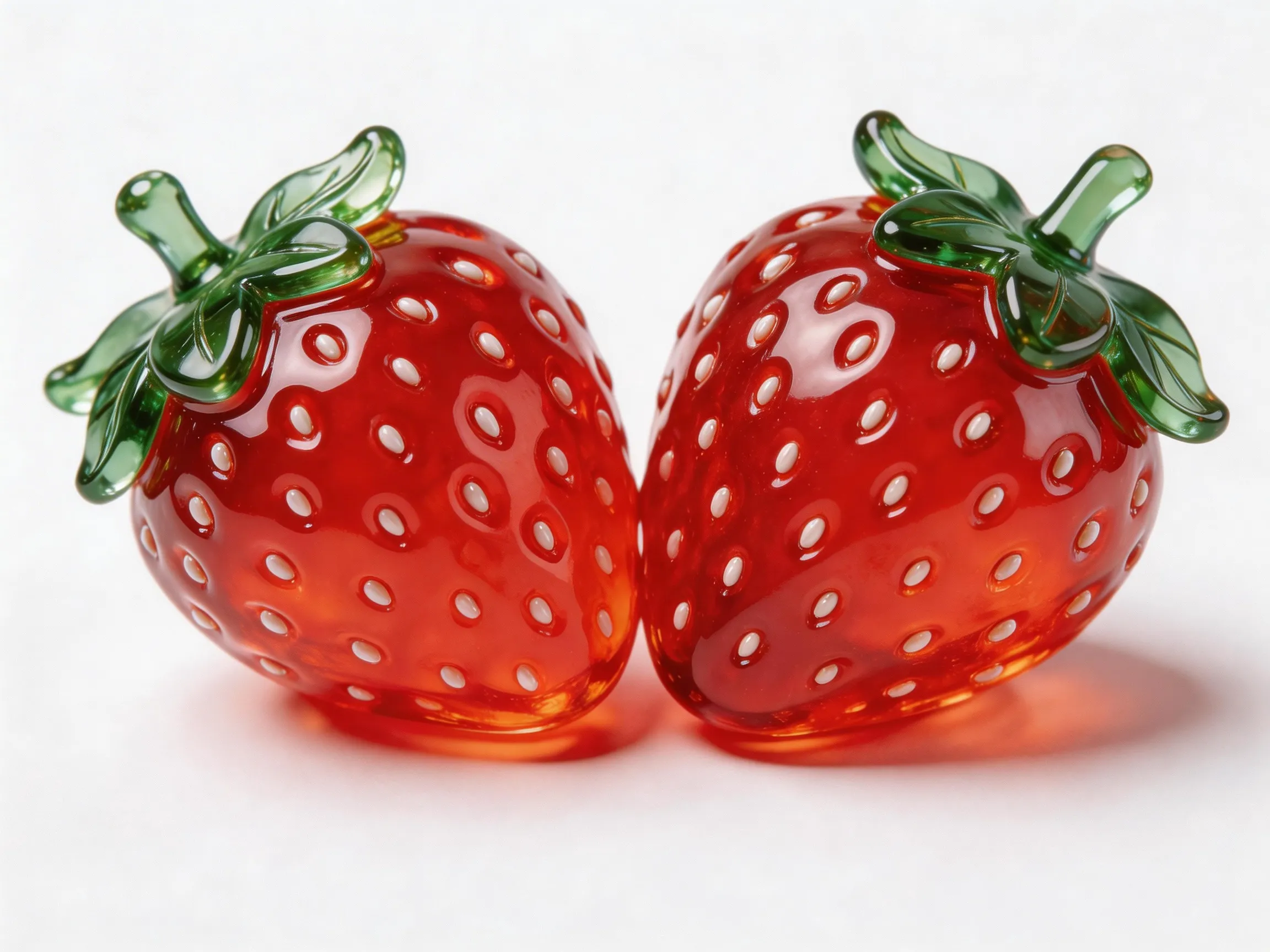 | Image | Image 2 (object) |
- Python
- Java
- curl
Ensure that the DashScope Python SDK version is at least 1.25.16.
Provide references
Pass reference images, videos, and audio to the media array.
Input images
- Number of first frames: A maximum of one first frame (
media.type=first_frame) is allowed. - Number of reference images: A maximum of five reference images (
media.type=reference_image) are allowed. The total number of reference images and reference videos cannot exceed 5. - Input methods:
- Public URL: Supports HTTP or HTTPS protocols. Example:
https://xxxx/xxx.png. - Base64-encoded string: Use the
data:{MIME_type};base64,{base64_data}format, where:-
{base64_data}: The Base64-encoded string of the image file. -
{MIME_type}: The Multipurpose Internet Mail Extensions (MIME) type of the image. The type must match the file format.Image format MIME type JPEG image/jpeg JPG image/jpeg PNG image/png BMP image/bmp WEBP image/webp
-
- Public URL: Supports HTTP or HTTPS protocols. Example:
Input videos
- Number of reference videos: A maximum of five reference videos (
media.type=reference_video) are allowed. The total number of reference images and reference videos cannot exceed 5. - Input methods:
- Public URL: Supports HTTP or HTTPS protocols. Example:
https://xxxx/xxx.mp4.
- Public URL: Supports HTTP or HTTPS protocols. Example:
Input audio
- Limits: The reference voice (
media.reference_voice) can be used only withreference_imageorreference_videoto specify the voice for the corresponding entity role. - Input methods:
- Public URL: Supports HTTP or HTTPS protocols. Example:
https://xxxx/xxx.mp3.
- Public URL: Supports HTTP or HTTPS protocols. Example:
Output video
- Number of videos: 1.
- Video specifications: The format is MP4.
- Video URL validity period: 24 hours.
- Video dimensions:
- wan2.7 series: The
resolutionparameter controls the resolution level (720p or 1080p), and theratioparameter controls the aspect ratio (16:9, 9:16, 1:1, 4:3, or 3:4).- If a first frame image is provided, the
ratioparameter is ignored. The aspect ratio of the output video approximates that of the first frame image. - If a first frame image is not provided, the aspect ratio is specified by the
ratioparameter. The default is 16:9.
- If a first frame image is provided, the
- wan2.7 series: The
Input video billing rules
Billing formula: Total billable duration (seconds) = Billable duration of input video (seconds) + Duration of output video (seconds).
- Wan 2.7 series models
- Wan 2.6 series models
Billable duration of input video: The maximum is 5 seconds.
Example: If the input is 2 reference videos + 1 image, the image is excluded from the count. The truncation limit is calculated based on 2 reference videos, resulting in 2.5 seconds per video.
Truncation limit per video = 5 seconds / Number of input reference videos (reference images and the first frame image are excluded). Each video is billed based on min(actual duration, truncation limit). The billable durations for multiple videos are added together.| Number of reference videos | Truncation limit per video |
|---|---|
| 1 | 5s |
| 2 | 2.5s |
| 3 | 1.65s |
| 4 | 1.25s |
| 5 | 1s |
Billable input duration = min(video 1 duration, 2.5 seconds) + min(video 2 duration, 2.5 seconds).Billable duration of output video: The duration in seconds of the video successfully generated by the model.API reference
FAQ
How do I reference materials in a prompt?
The reference method depends on the model and feature used:
- Reference images are identified as Image 1, Image 2, and so on. Reference videos are identified as Video 1, Video 2, and so on.
- Images and videos are counted separately. The order matches the order of the same type of material in the
mediaarray. - If you have only one reference image or video, you can simplify the identifier to "reference image" or "reference video".
- Usually, you do not need to reference the first frame image in the prompt.
Can reference_voice be used with a first frame image?
This is not recommended. Use media.reference_voice with reference_image or reference_video to specify the timbre for the corresponding entity.