

Generate images from text prompts.
Generate images from text descriptions. To compare models and choose the right one, see Image models. Try it online: QwenCloud.
For model details and pricing, see Image models.
Get an API key and export it as an environment variable. To use the SDK, install it.
All Wan models support asynchronous calls.
Parameters:
Writing tips: Structured prompts tend to produce better results. See Text-to-image prompt guide.
Parameter:
When to use:
Parameter:
Parameter:
Parameter:
Shorthand sizes (wan2.7 only; cannot mix with pixel values):
Recommended resolutions by pixel range:
Parameter:
When using
The following parameters are exclusive to
If a call fails, see Error messages.
Model performance
Qwen-Image
| Complex text | Long paragraphs | Complex layouts |
|---|---|---|
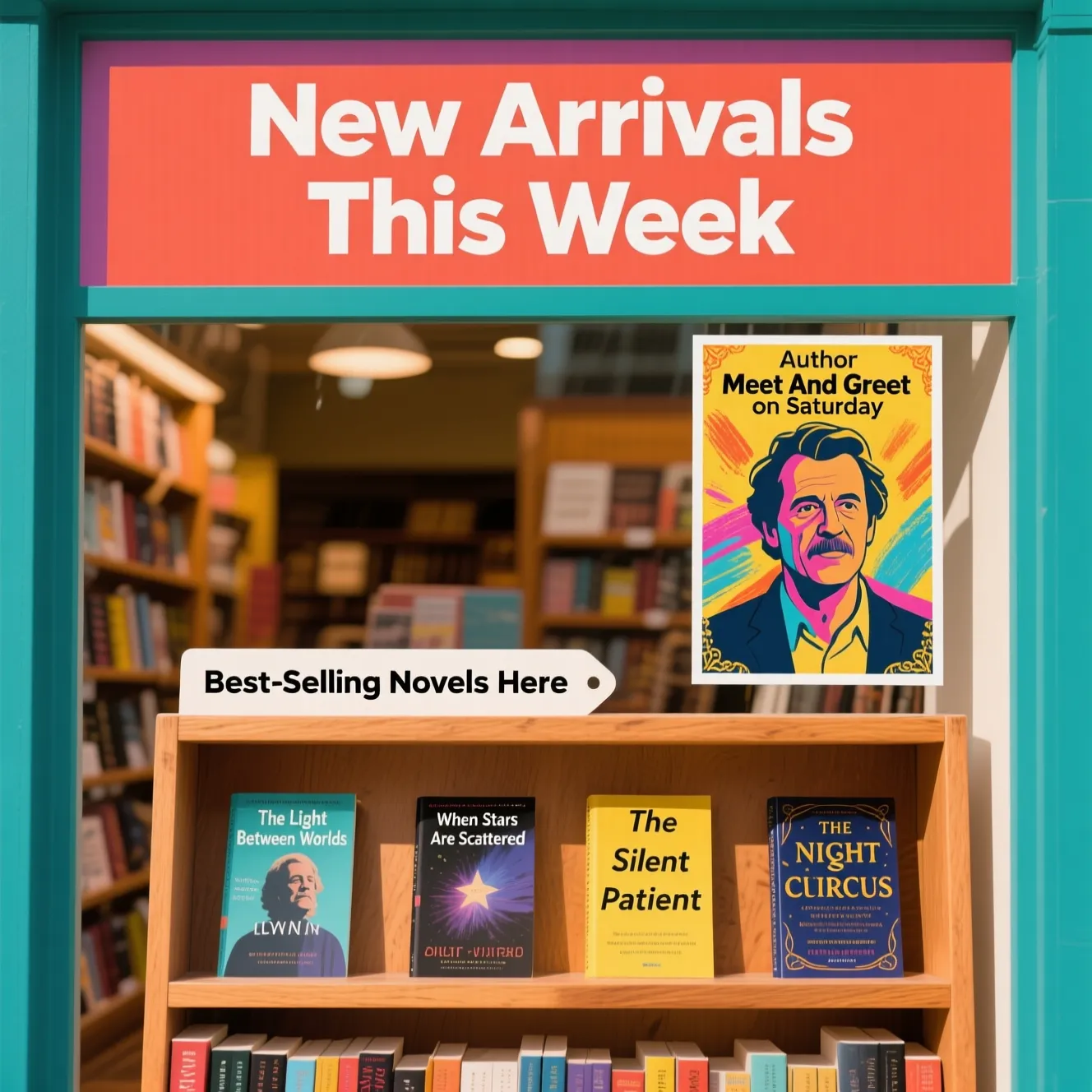 | 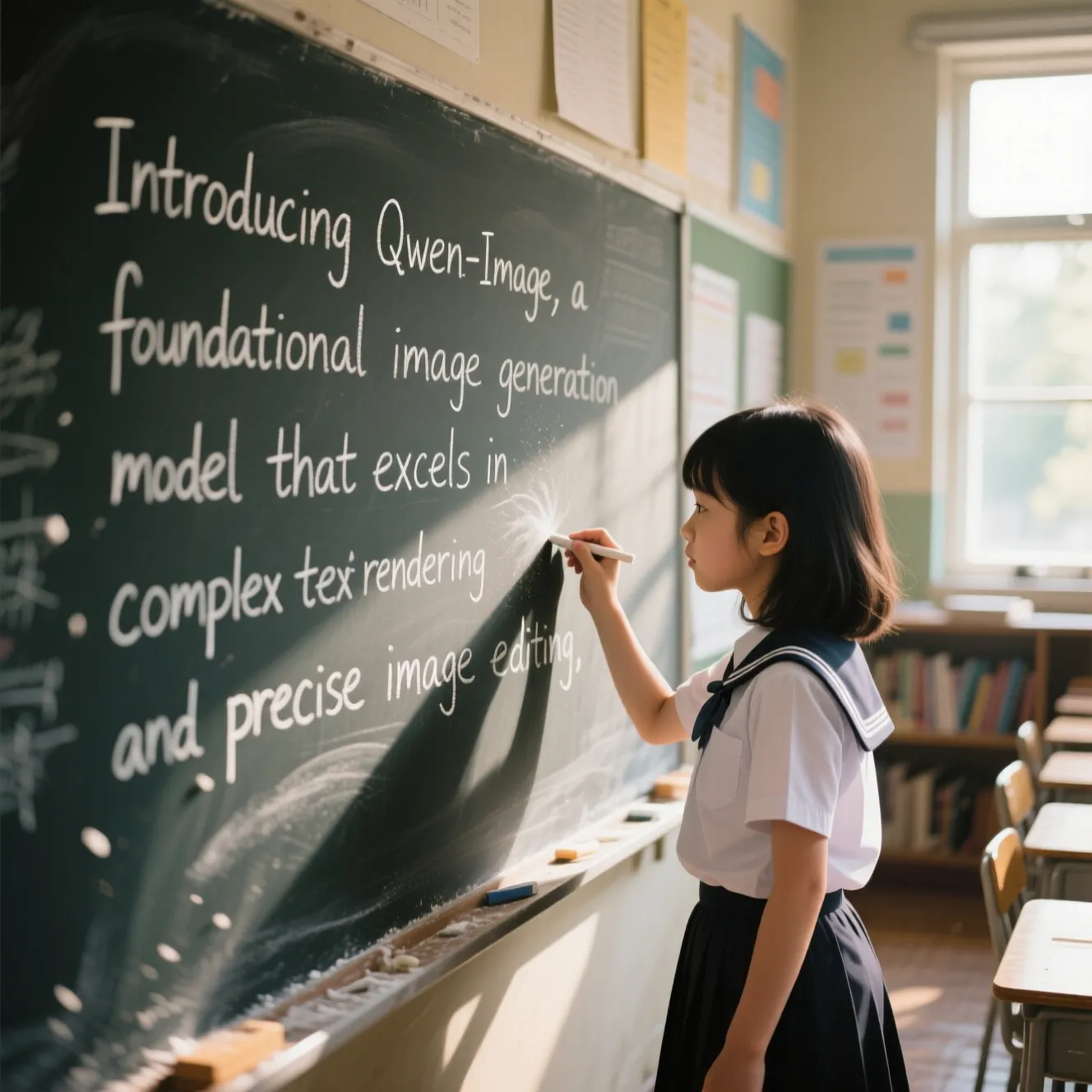 | 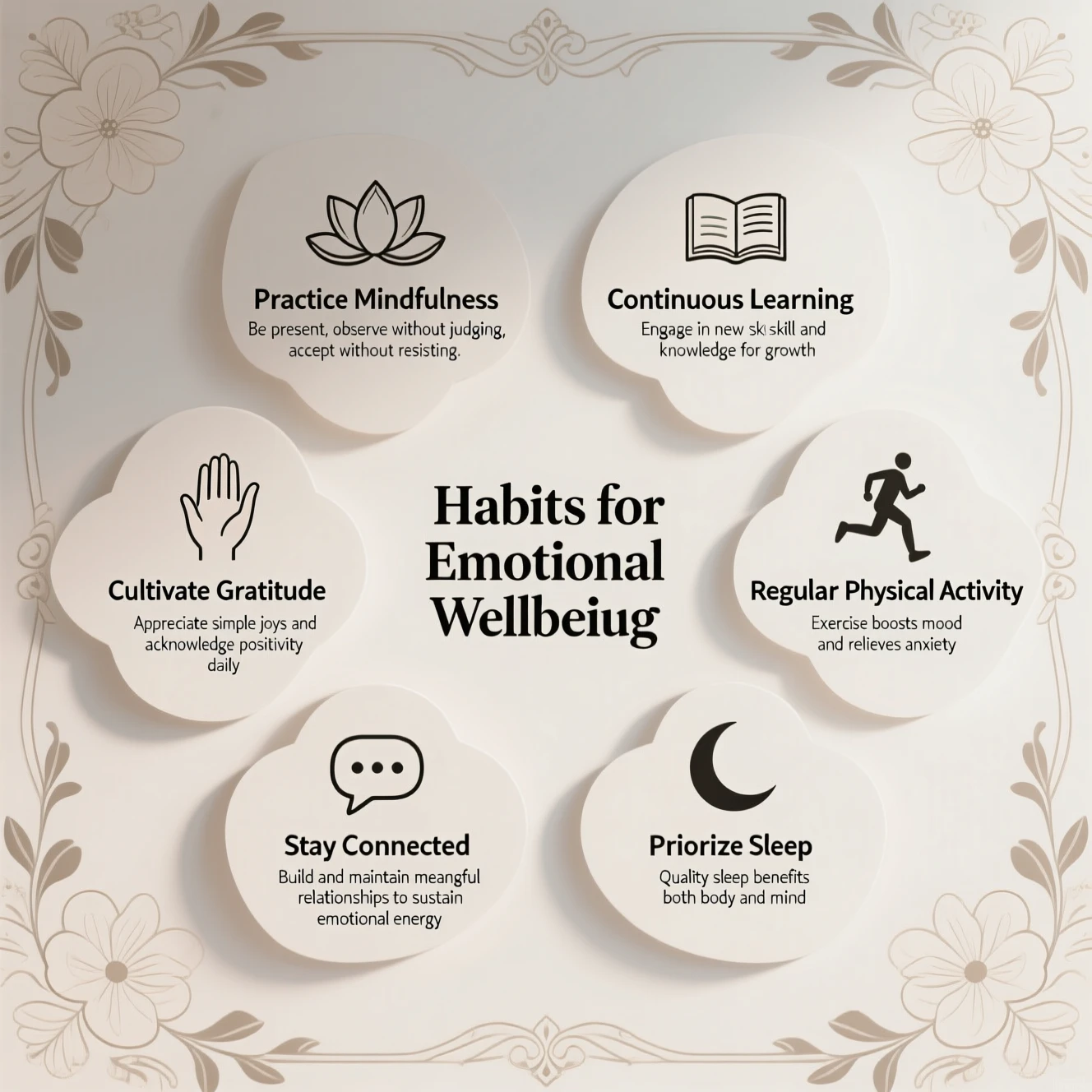 |
| Poster design | Illustration design | Realistic photography |
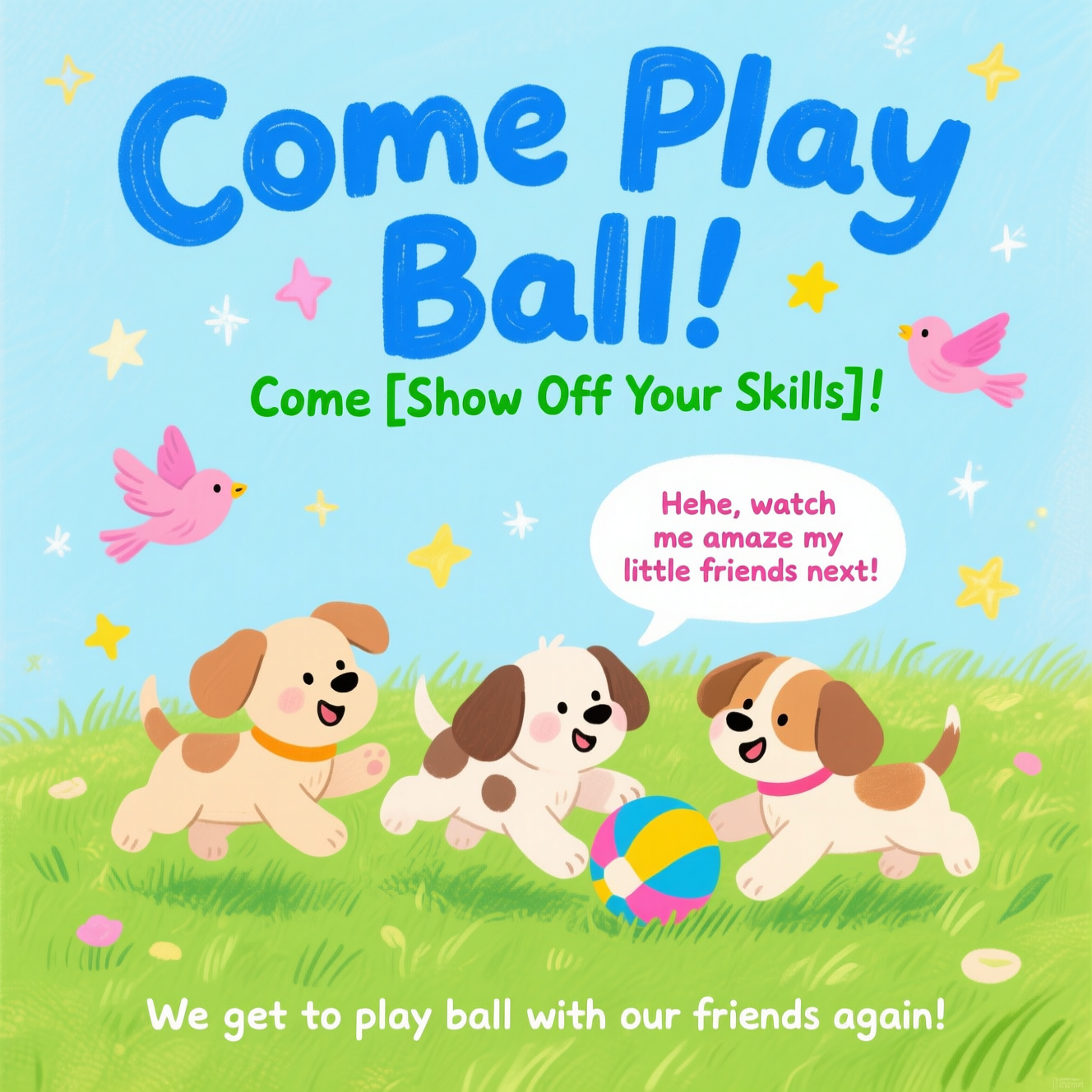 |  |  |
Click to view prompts
Click to view prompts
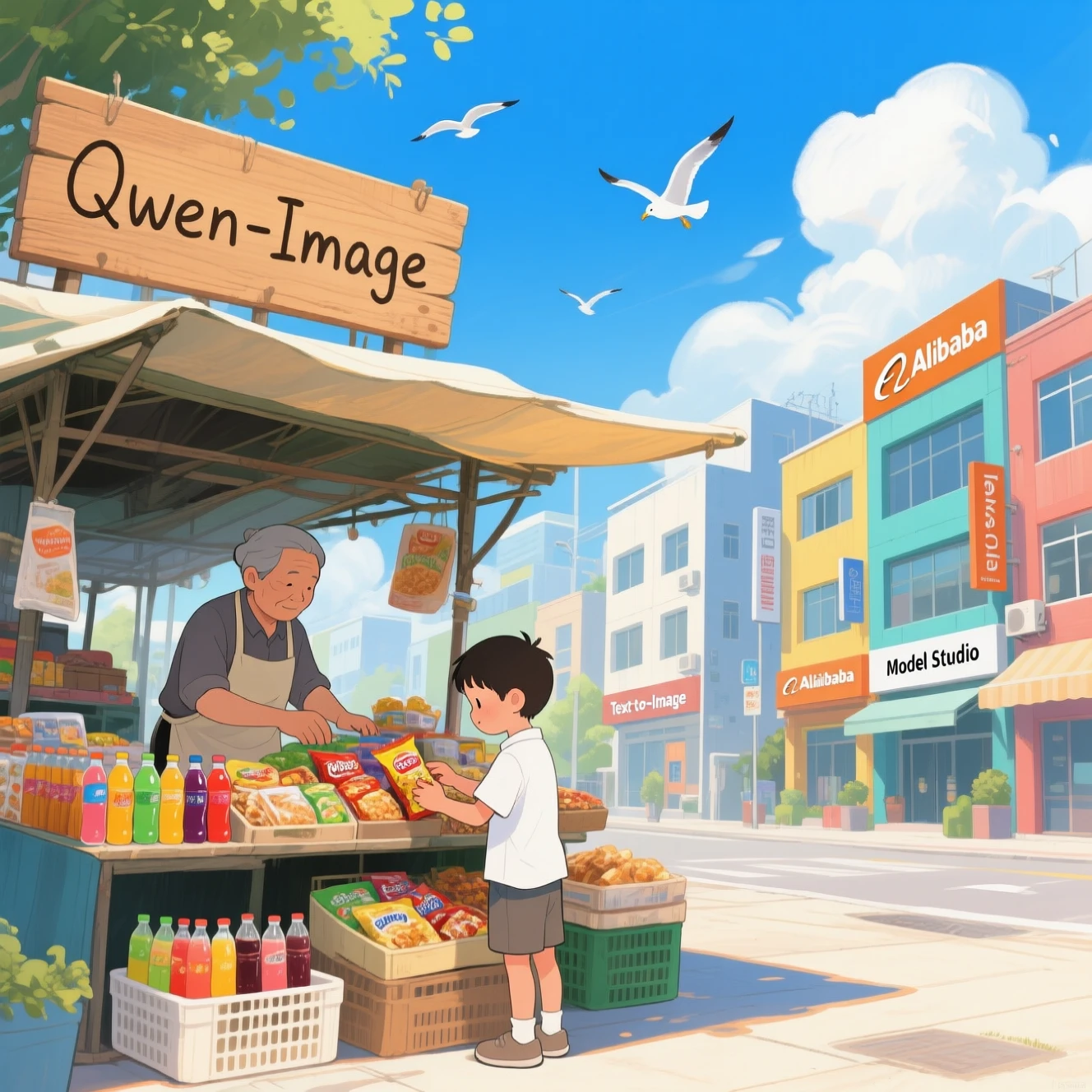
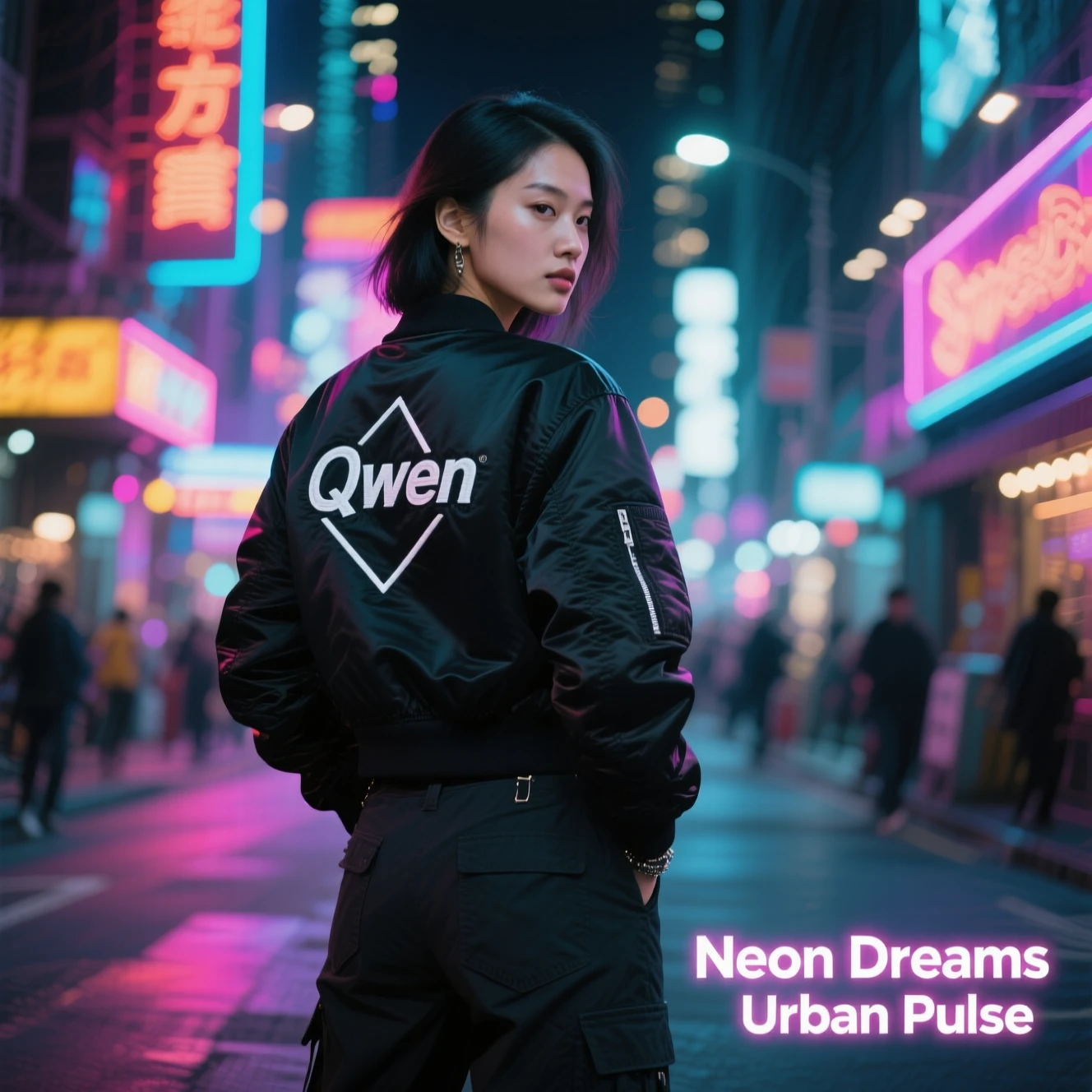
Complex text: Bookstore window display. A sign displays "New Arrivals This Week". Below, a shelf tag with the text "Best-Selling Novels Here". To the side, a colorful poster advertises "Author Meet And Greet on Saturday" with a central portrait of the author. There are four books on the bookshelf, namely "The light between worlds" "When stars are scattered" "The silent patient" "The night circus"Long paragraphs: A young girl dressed in a school uniform stands in a classroom, writing on the blackboard. Centered on the board, neatly inscribed in white chalk, is the text: "Introducing Qwen-Image, a foundational image generation model that excels in complex text rendering and precise image editing." Soft natural light streams through the windows, casting gentle shadows. The scene is rendered in a realistic photographic style, with finely detailed textures, shallow depth of field, and warm tonal hues. The girl's focused expression and the chalk dust suspended in the air add a sense of movement and vitality. Background elements-including student desks and educational posters-are slightly blurred to emphasize the central action. Ultra-high 32K resolution, DSLR-quality imagery, soft bokeh effect, and documentary-style composition.Complex layouts: Create a classroom PPT slide for a speech. It features artistic, decorative shapes framing neatly arranged textual info as an elegant infographic. Center title: 'Habits for Emotional Wellbeing', surrounded by a symmetrical floral pattern. Left upper: 'Practice Mindfulness' + minimalist lotus icon + text 'Be present, observe without judging, accept without resisting'. Downward: 'Cultivate Gratitude' + open hand illustration + text 'Appreciate simple joys and acknowledge positivity daily'. Bottom - left: 'Stay Connected' + minimalistic chat bubble icon + text 'Build and maintain meaningful relationships to sustain emotional energy'. Bottom right: 'Prioritize Sleep' + crescent moon illustration + text 'Quality sleep benefits both body and mind'. Upward right: 'Regular Physical Activity' + jogging runner icon + text 'Exercise boosts mood and relieves anxiety'. Top right: 'Continuous Learning' + book icon + text 'Engage in new skill and knowledge for growth'. The layout balances clarity & artistry, guiding viewers naturally. --ar 16:9 --style clean - presentation.Poster design: Healing-style hand-drawn poster featuring three puppies playing with a ball on lush green grass, adorned with decorative elements such as birds and stars. The main title "Come Play Ball!" is prominently displayed at the top in bold, blue cartoon font. Below it, the subtitle "Come [Show Off Your Skills]!" appears in green font. A speech bubble adds playful charm with the text: "Hehe, watch me amaze my little friends next!" At the bottom, supplementary text reads: "We get to play ball with our friends again!" The color palette centers on fresh greens and blues, accented with bright pink and yellow tones to highlight a cheerful, childlike atmosphere.Illustration design: A vibrant and lively illustration of a sunny, bustling commercial street scene, slice of life. In the foreground, a young boy in a white shirt and shorts is intently choosing items from a market stall. The stall is filled with snacks, drinks, and daily goods. The stall owner, a middle-aged man in an apron, is organizing the products. A wooden sign with "Qwen-Image" in a handwritten style hangs above the stall. The background features modern, colorful buildings with prominent signs for "QwenCloud" "Text-to-Image". The sky is azure blue with fluffy white clouds and soaring seagulls. Art Style: Realism illustration, delicate and soft, vibrant colors, rich layers, subtle hand-drawn texture, detailed, strong light and shadow, full composition, strong sense of depth, cheerful and relaxing atmosphere.Realistic photography: A realistic, high-fashion street-style photograph of a young Asian woman. She stands confidently on a vibrant, neon-lit city street at night. She is wearing a sleek black bomber jacket with a subtle white geometric logo and the word "Qwen" embroidered on the back, paired with dark cargo pants. The background is filled with the glowing signs and soft bokeh of city lights, creating a cinematic and atmospheric mood. The lighting is dramatic, with highlights from the neon signs casting colors onto her face and jacket. In the bottom-right corner, overlayed text reads "Neon Dreams" and "Urban Pulse". The text is in a modern, stylish, sans-serif font with a slight neon glow effect, seamlessly integrated into the composition. The entire image should be a masterpiece, ultra-detailed, 8K, UHD, with sharp focus and professional photographic quality, capturing a candid yet powerful urban moment.
Wan series
| Portrait photography | Realistic photography | Painting styles |
|---|---|---|
 |  |  |
| Text generation | Poster design | Image set generation |
 |  |  |
Click to view prompts
Click to view prompts
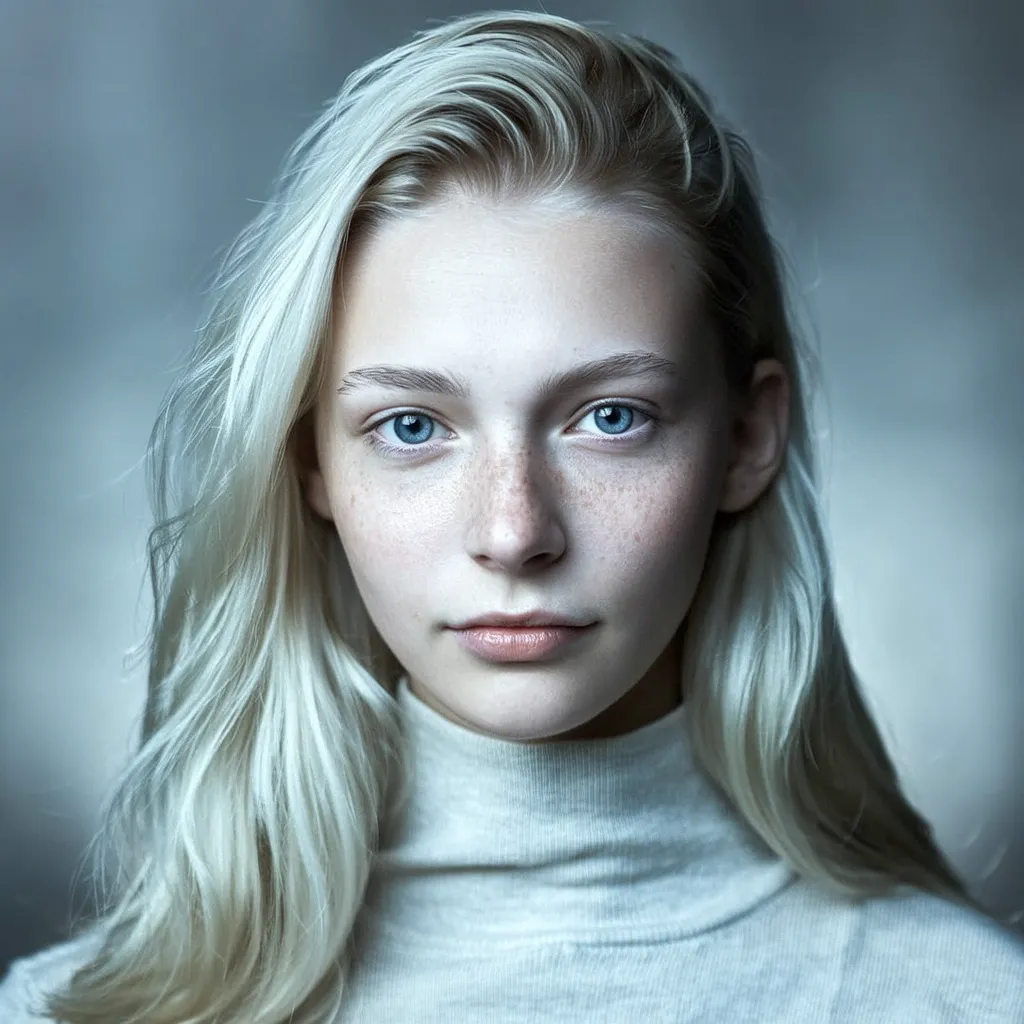
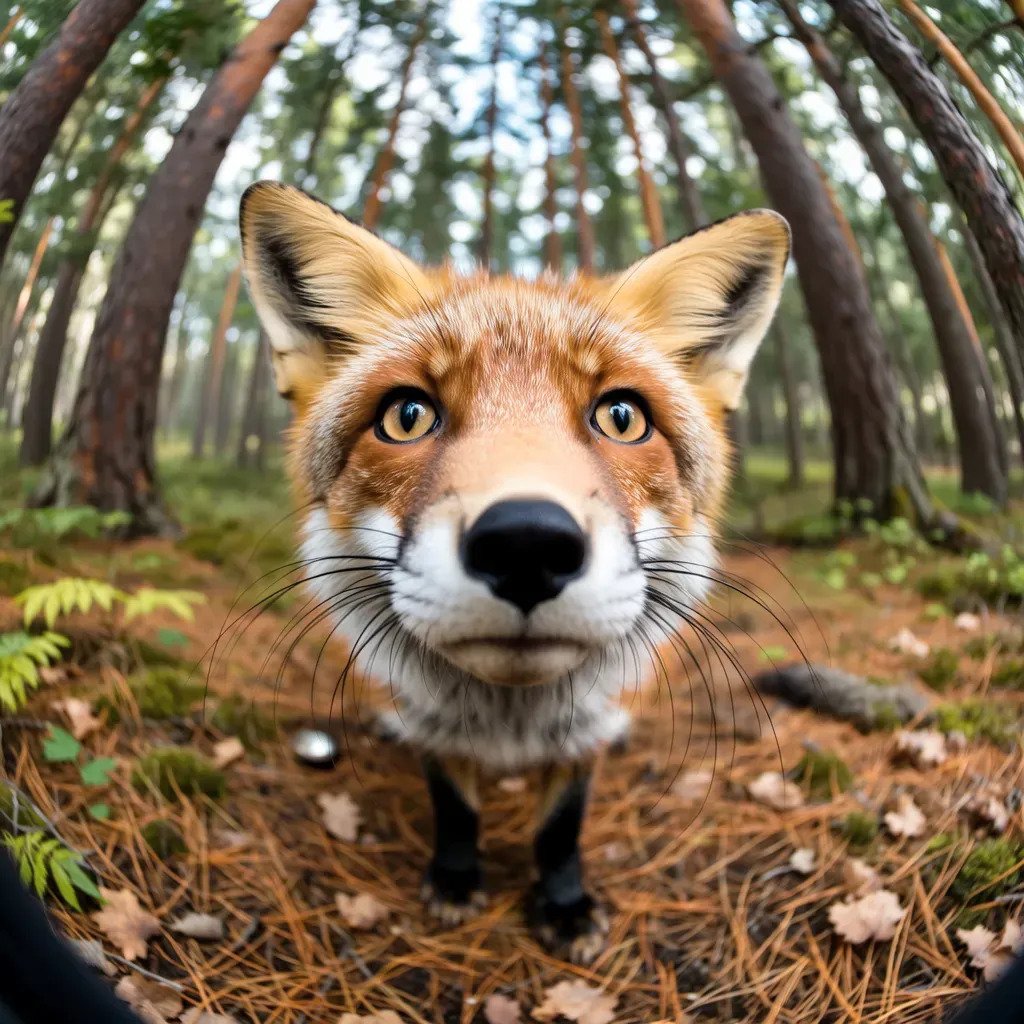
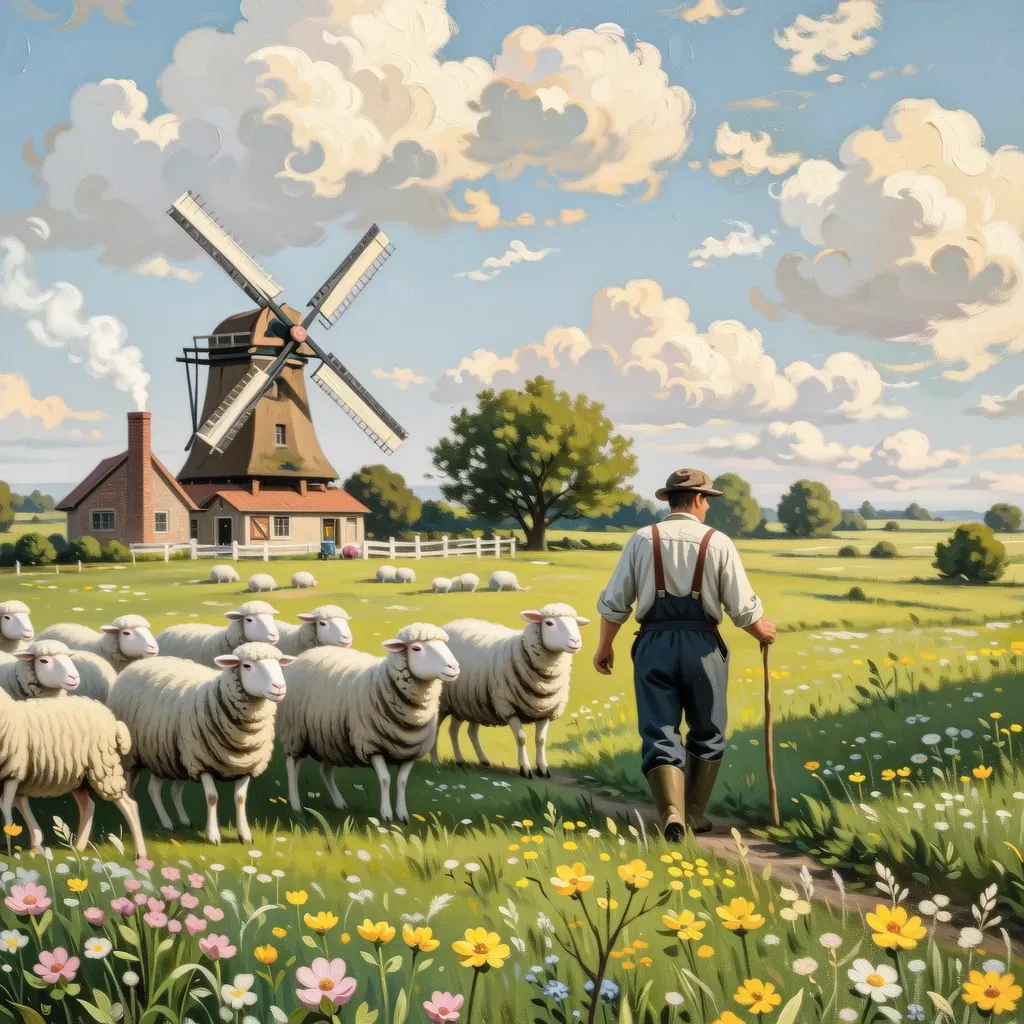
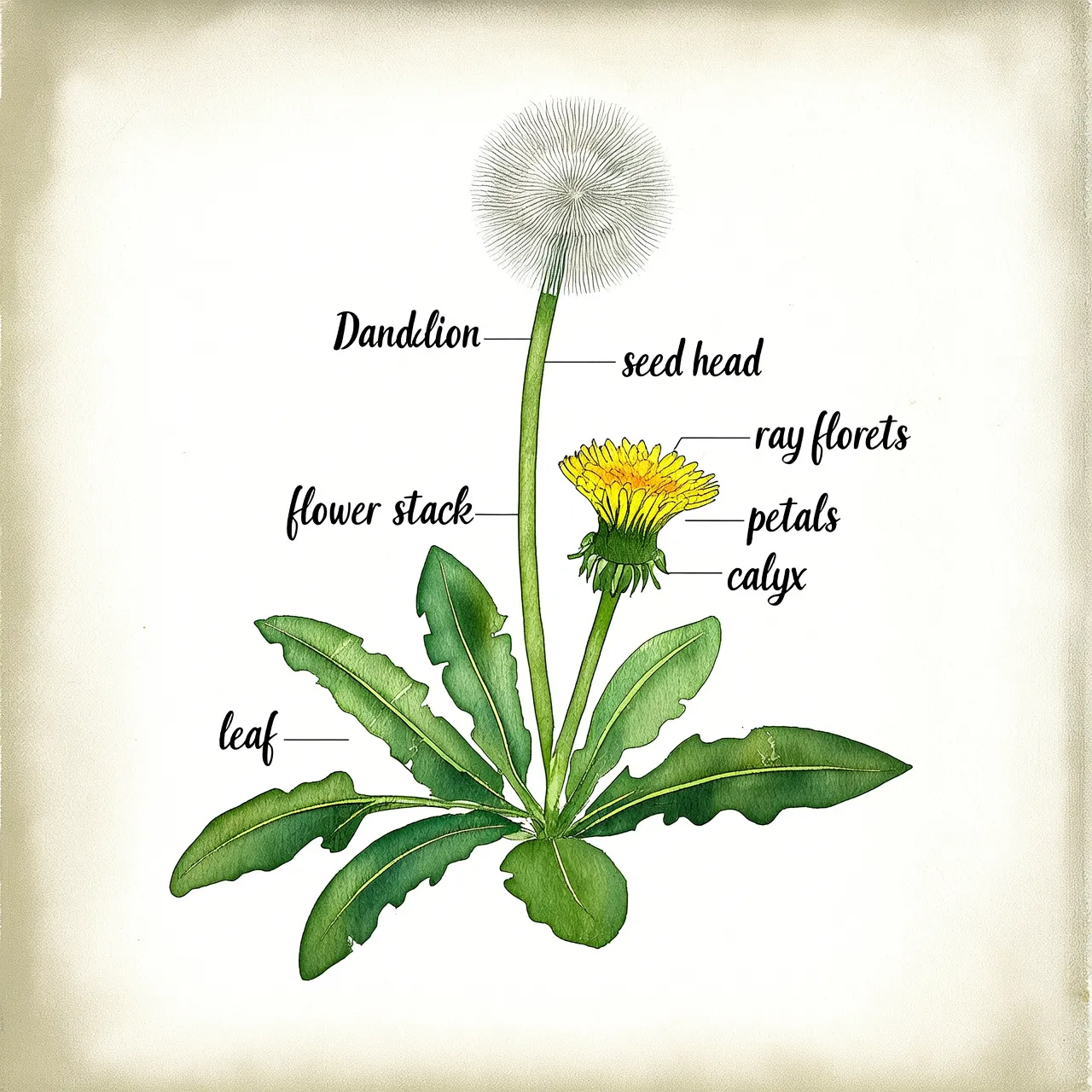
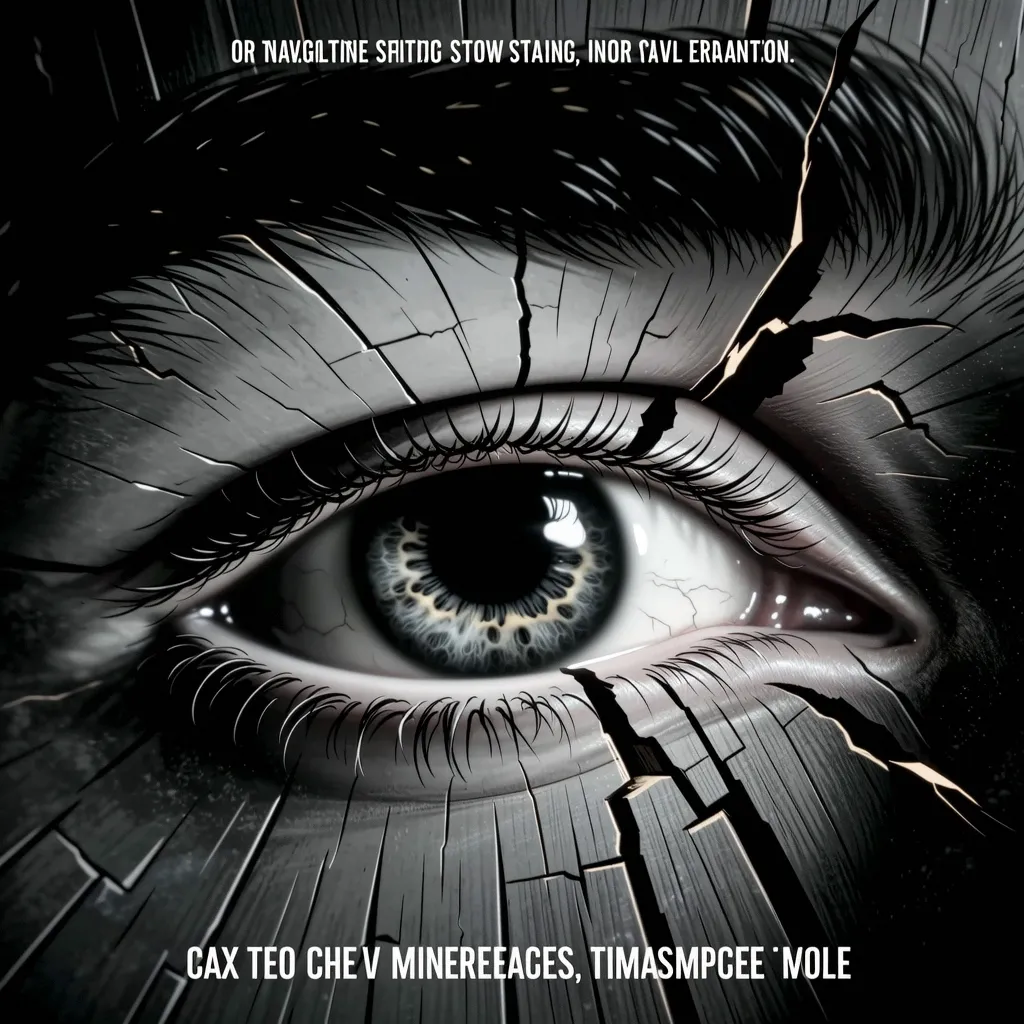
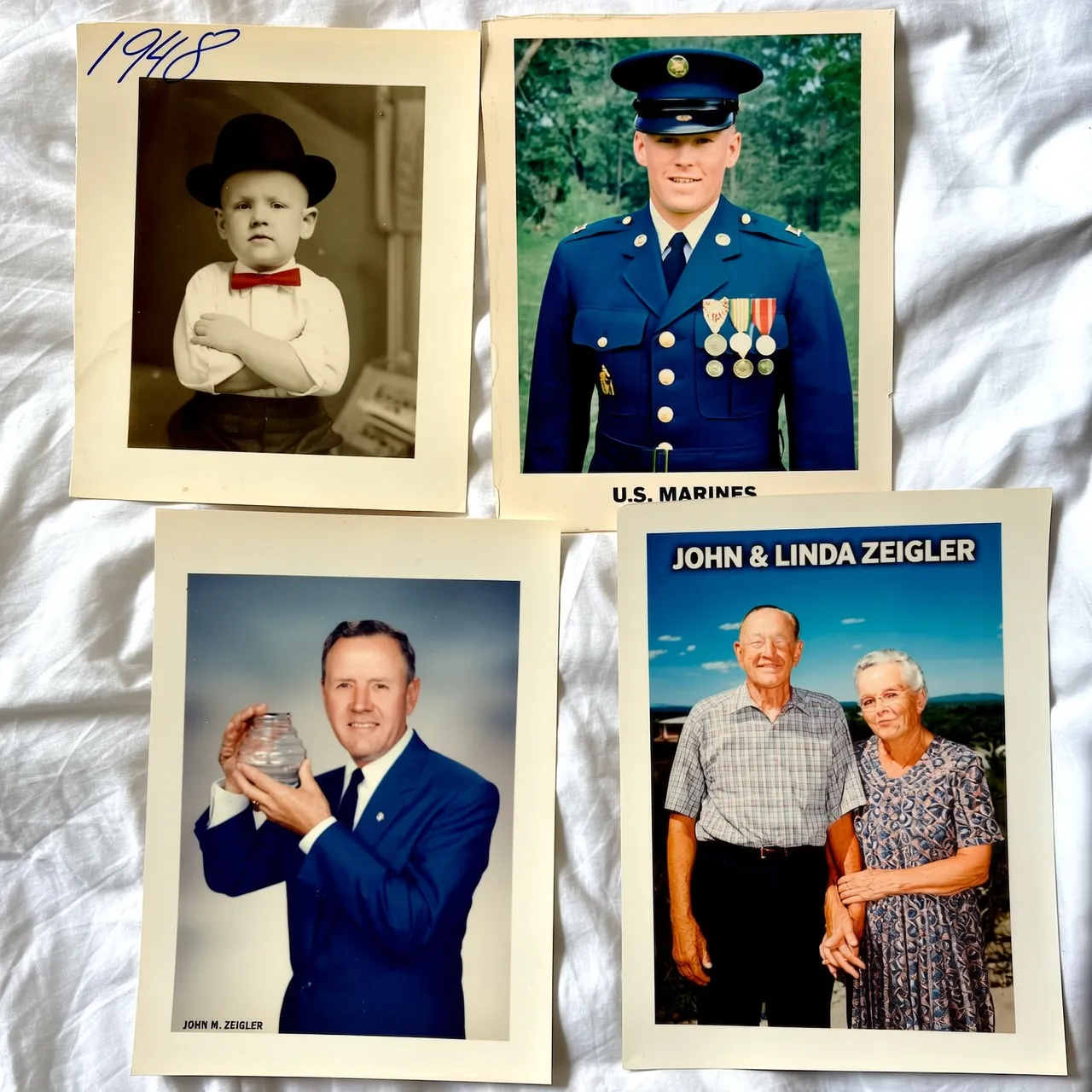
Portrait photography: hyper-realistic Scandinavian woman portrait, flowing platinum blonde hair and piercing blue eyes with prominent freckles, sharp intellectual gaze, Nordic cold-toned directional lighting creating icy atmosphere, minimalist modern styling with clean lines, shallow depth-of-field with a blurred, cold-gradient background, authentic Nordic facial features and porcelain skin texture.Realistic photography: a fish-eye perspective forest scene with dramatic perspective distortion, ultra-detailed red fox staring into lens with piercing amber eyes, hyper-realistic fur texture showing individual guard hairs and undercoat layers, radially warped trees forming circular background patterns, watercolor painting style with translucent washes and organic pigment bleeding, soft pastel palette of moss green and earth ochre tones, painterly lighting with atmospheric glow through canopy gapsPainting styles: Vintage oil painting style pastoral scene, a farmer herding sheep across a meadow full of wildflowers, a windmill in the distance turning under blue sky and white clouds, smoke curling from the chimney of a wooden house, bright and soft colors, full of tranquility and comfort.Text generation: A page from a botanical illustration book, hand-drawn watercolor style, depicting a "dandelion" and labeling its various parts.Poster design: Cinematic poster scene: Extreme macro close-up of eye in wooden crack. Minimalist monochrome, watercolor-CGI fusion, low saturation. Slow push-in with tremor for surreal intensity. Vast negative space, hidden title. Optimized for immersive video generation.Image set generation: Memories of an old man's life, four portraits in different frames, depicting his childhood (black and white photo), youth (military uniform photo), middle age (business suit work photo), and old age (photo with his wife).
Model availability
For model details and pricing, see Image models.
Getting started
Prerequisites
Get an API key and export it as an environment variable. To use the SDK, install it.
SDK version 1.25.15+ (Python) or 2.22.13+ (Java) is required.
Sample code
All Wan models support asynchronous calls. wan2.7-image-pro, wan2.7-image, wan2.6-image, and wan2.6-t2i also support synchronous calls. All Qwen-Image models support synchronous calls, and qwen-image-plus and qwen-image also support asynchronous calls.
- Synchronous (Qwen-Image)
- Asynchronous (Wan)
Request exampleResponse example
Full JSON response
Full JSON response
Key capabilities
Instruction following
Parameters:
- Prompt (required): Describes the desired content, style, and composition. Pass the prompt in the following format:
- Qwen-Image, Wan 2.7, and
wan2.6-t2i: Useinput.messages[].content[].text. See the sample code in the corresponding tab under Sample code. - Wan 2.5 and earlier: Use
input.prompt.
- Qwen-Image, Wan 2.7, and
- negative_prompt (optional): Describes elements to exclude from the image, such as "blurry" or "extra fingers". Set via
parameters.negative_prompt. Supported by all models exceptwan2.7-image-proandwan2.7-image.
wan2.7-image-pro and wan2.7-image do not support negative_prompt. Use a positive prompt to guide generation instead.Enable prompt rewriting
Parameter: parameters.prompt_extend (bool, default: true).
Automatically expands short prompts to improve image quality, adding 3-4 seconds of latency.
wan2.7-image-pro and wan2.7-image do not support prompt_extend. Use thinking_mode instead — see Wan 2.7 parameters.- Enable when your prompt is simple or broad — this can significantly improve quality.
- Disable (
false) when you need fine-grained control, have already written a detailed prompt, or are sensitive to latency.
Choose the prompt rewriting mode
Parameter: parameters.prompt_extend_mode (string, default: direct). Supported by the qwen-image-3.0 series only, and takes effect when prompt_extend is true.
| Value | Description | When to use |
|---|---|---|
direct | Direct prompt enhancement (DPE). The default. | Most scenarios |
agent | Agent prompt enhancement (APE). Finer-grained rewriting. | Very short prompts where the model needs to fill in a lot of detail |
agent is supported for text-to-image only. Passing it for image editing returns a 400 error.Enable thinking mode
Parameter: parameters.enable_thinking (boolean, default: true). Supported by the qwen-image-3.0 series only, for text-to-image and direct image editing — not supported for agent-mode image editing. Requires prompt_extend=true.
Enhances model reasoning to improve image quality, but increases generation time.
Set the output image resolution
Parameter: parameters.size (string), in the format "width*height".
| Model | Size format | Supported range | Default | Aspect ratio |
|---|---|---|---|---|
| qwen-image-3.0 series | Custom "width*height" | 512*512 – 2048*2048 | Auto-recommended from the prompt | 1:8 – 8:1 |
| qwen-image-2.0 series | Custom "width*height" | 512*512 – 2048*2048 | 2048*2048 (1:1) | — |
| qwen-image-max / qwen-image-plus | Fixed presets only | See presets below | 1664*928 (16:9) | — |
wan2.7-image-pro | Shorthand or "width*height" | 768*768 – 4096*4096 | "2K" (2048*2048) | 1:8 – 8:1 |
wan2.7-image | Shorthand or "width*height" | 768*768 – 2048*2048 | "2K" (2048*2048) | 1:8 – 8:1 |
wan2.6-image | Custom "width*height" | 768*768 – 1280*1280 | Matches input (≤1280*1280) | 1:4 – 4:1 |
wan2.6-t2i, wan2.5-t2i-preview | Custom "width*height" | 1280*1280 – 1440*1440 | 1280*1280 | 1:4 – 4:1 |
| wan2.2 and earlier t2i models | Custom "width*height" | [512, 1440] per side, ≤1440*1440 | 1024*1024 (1:1) | — |
wan2.6-image is listed here for its interleaved text-image generation mode only. For image editing, see Image editing.| Shorthand | Resolution | wan2.7-image-pro | wan2.7-image |
|---|---|---|---|
"1K" | 1024*1024 | Supported | Supported |
"2K" | 2048*2048 | Supported (default) | Supported (default) |
"4K" | 4096*4096 | Supported | Not supported |
| Aspect ratio | 4K | 2K | 1K |
|---|---|---|---|
| 1:1 | 4096*4096 | 2048*2048 | 1280*1280 |
| 16:9 | 4096*2304 | 2688*1536 | 1696*960 |
| 9:16 | 2304*4096 | 1536*2688 | 960*1696 |
| 4:3 | 4096*3072 | 2368*1728 | 1472*1104 |
| 3:4 | 3072*4096 | 1728*2368 | 1104*1472 |
- 4K: wan2.7-image-pro only.
- 2K: wan2.7-image-pro, wan2.7-image, qwen-image-2.0/3.0 series.
- 1K: Wan t2i models.
Set the number of images
Parameter: parameters.n (integer).
| Model | Range | Default |
|---|---|---|
wan2.7 (enable_sequential=false) | 1–4 | 4 |
wan2.7 (enable_sequential=true) | 1–12 | 12 |
| qwen-image-2.0/3.0 series | 1–6 | 1 |
| qwen-image-max / qwen-image-plus | 1 only | 1 |
wan2.6-image (enable_interleave=false) | 1–4 | 4 |
wan2.6-image (enable_interleave=true) | 1 only | 1 |
| wan2.6-t2i / wan2.5 and earlier | 1–4 | 4 |
Cost = unit price x number of successfully generated images. Set
n to 1 during testing.wan2.6-image in interleaved text-image mode (enable_interleave=true), n must be 1. To control the maximum number of generated images, use parameters.max_images (range: 1–5, default: 5). The actual count is determined by the model and may be less than the specified maximum.
Wan 2.7 parameters
The following parameters are exclusive to wan2.7-image-pro and wan2.7-image.
-
enable_sequential(bool, default:false): Enables image set generation. Whentrue, you can generate 1-12 coherent images per request by settingnbetween 1 and 12.Whenenable_sequentialis set totrue,thinking_modeandcolor_paletteare unavailable. -
thinking_mode(bool, default:true): Enables enhanced reasoning for better prompt understanding and image quality. Only available whenenable_sequentialisfalse. -
color_palette(array): Defines a custom color theme. Specify 3-10 colors (8 recommended), each with a hex value and a ratio (percentage string). Ratios must sum to 100%. Only available whenenable_sequentialisfalse.
Color palette example
Color palette example
Going live
Fault tolerance
- Rate limits: A
Throttlingerror code or HTTP 429 means rate limiting is active. See Rate limits. - Async task polling: Poll every 3 seconds for the first 30 seconds, then increase the interval. Set a final timeout (e.g. 2 minutes) and treat the task as failed if it expires.
Risk prevention
- Result persistence: Image URLs expire after 24 hours. Download and store images in your own storage (e.g. OSS) immediately after retrieval.
- Content moderation: All
promptandnegative_promptinputs are moderated. Non-compliant input is blocked with aDataInspectionFailederror. - Copyright and compliance: Prompts that reference brand trademarks, celebrity likenesses, or copyrighted IP may pose infringement risks. You are responsible for any resulting liabilities.
API reference
- Qwen - Synchronous
- Z-Image
- Wan 2.7 - Image generation & editing
- Wan 2.6 - Image generation & editing
- Wan - text-to-image V2