

Avoid hardcoding secrets
Prerequisites
Create an API key first.
Steps
- Linux
- macOS
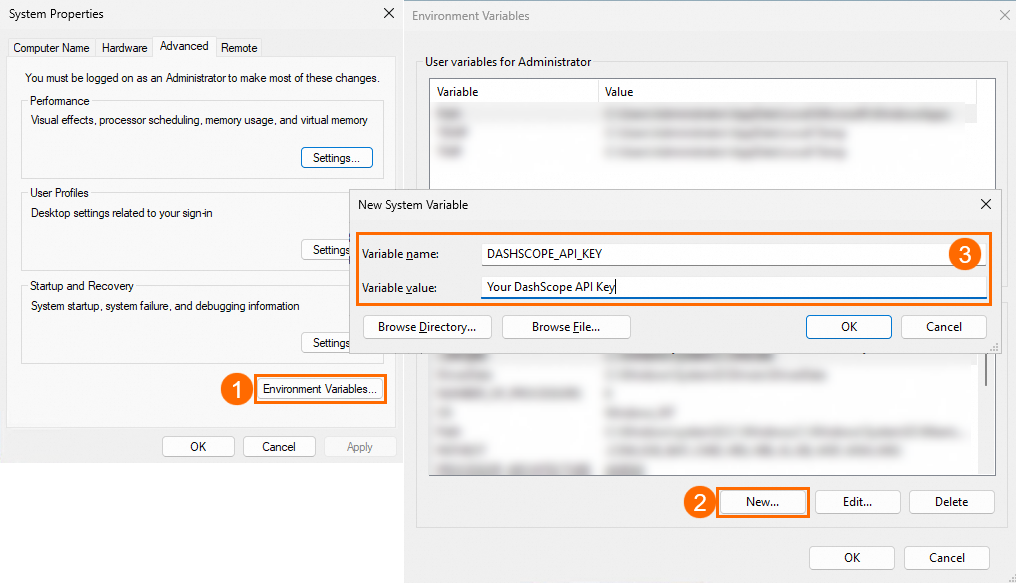
- Windows
Permanent environment variable
Set a permanent environment variable for the current user:1
Add the environment variable
Add the variable to
~/.bashrc:Edit manually
Edit manually
Open Add the following content to the file:In the nano editor, press Ctrl+X and then Y. Press Enter to save and close the file.
~/.bashrc:2
Apply the changes
Apply changes:
3
Verify
Verify in a new session:
Temporary environment variable
Set a temporary variable (current session only):1
Set the variable
2
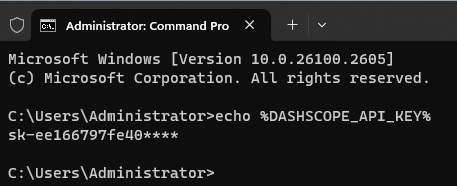
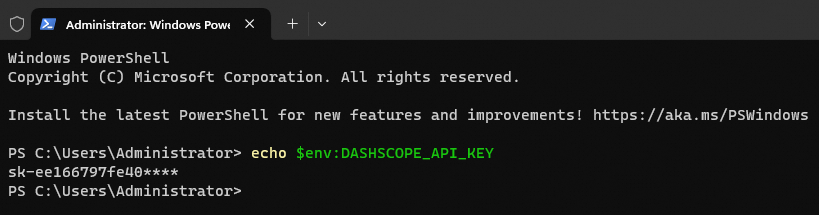
Verify
FAQ
echo works but code reports "no API key found"
Common causes:
- Non-permanent variable: Temporary variables work in the current session only. Set a permanent variable instead.
- Need restart: Restart IDE, terminal, or app. Service-managed apps may need service restart.
- Service manager config: For service-managed apps (systemd, supervisord), add the variable to the service config file.
-
Using sudo:
sudodoesn't inherit environment variables. Usesudo -E python xx.py(the-Eflag passes variables) or run withoutsudoif permissions allow. -
Base URL required: Set QwenCloud's base URL:
- In code:
- As environment variable: